
Fluxwheel
The free desktop app for curating autonomy data
FluxWheel opens rosbags and MCAP files directly - right from your local machine. Browse through lidar, radar, camera and IMU streams together, mark the frames and sequences you care about, and export them as clean, training-ready datasets.
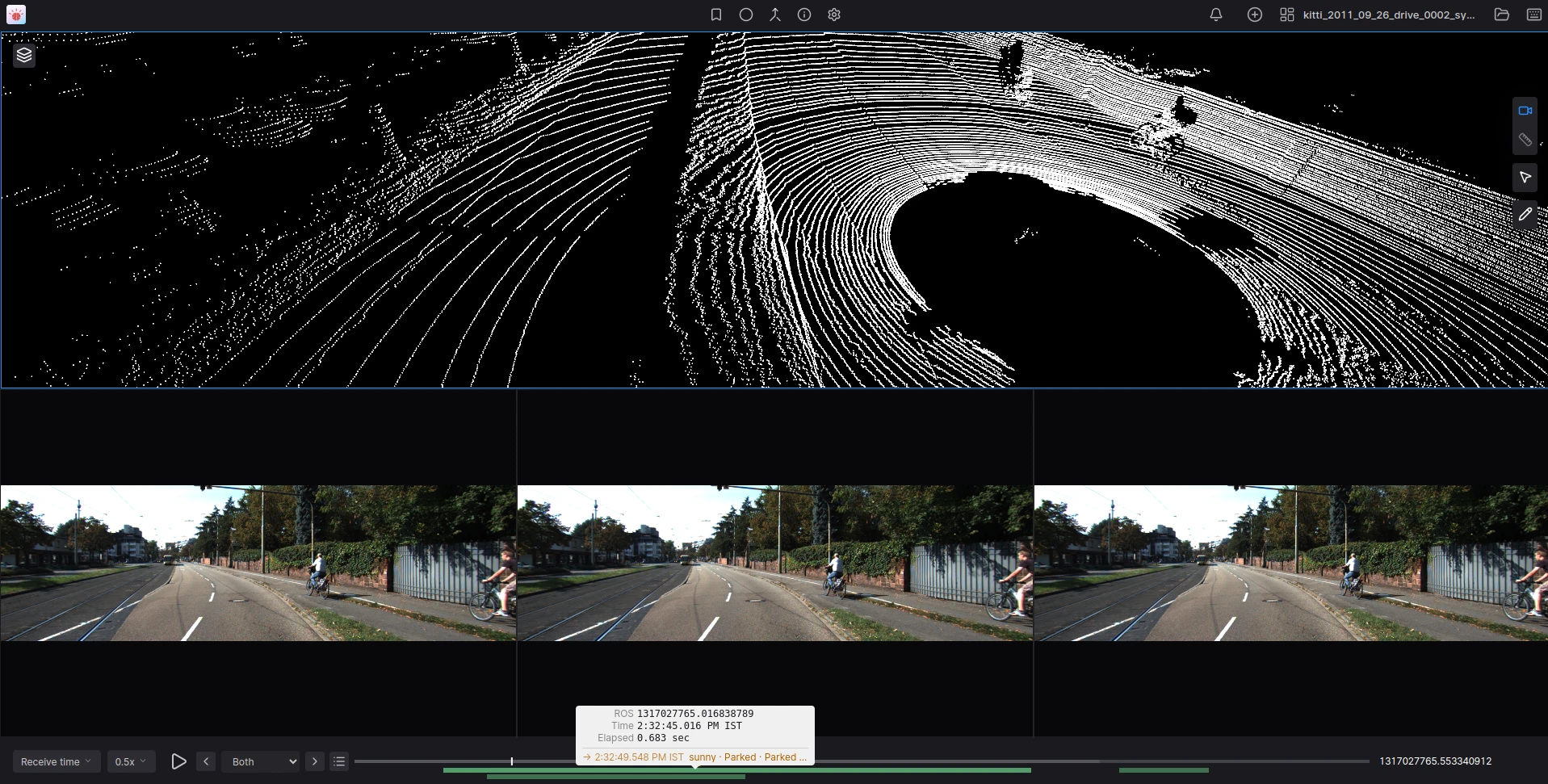
From raw bag to curated dataset, without leaving your desktop
Opens your bags directly — no conversion needed
Open a bag in FluxWheel and start browsing and curating. No need to convert formats and no server to stand up.
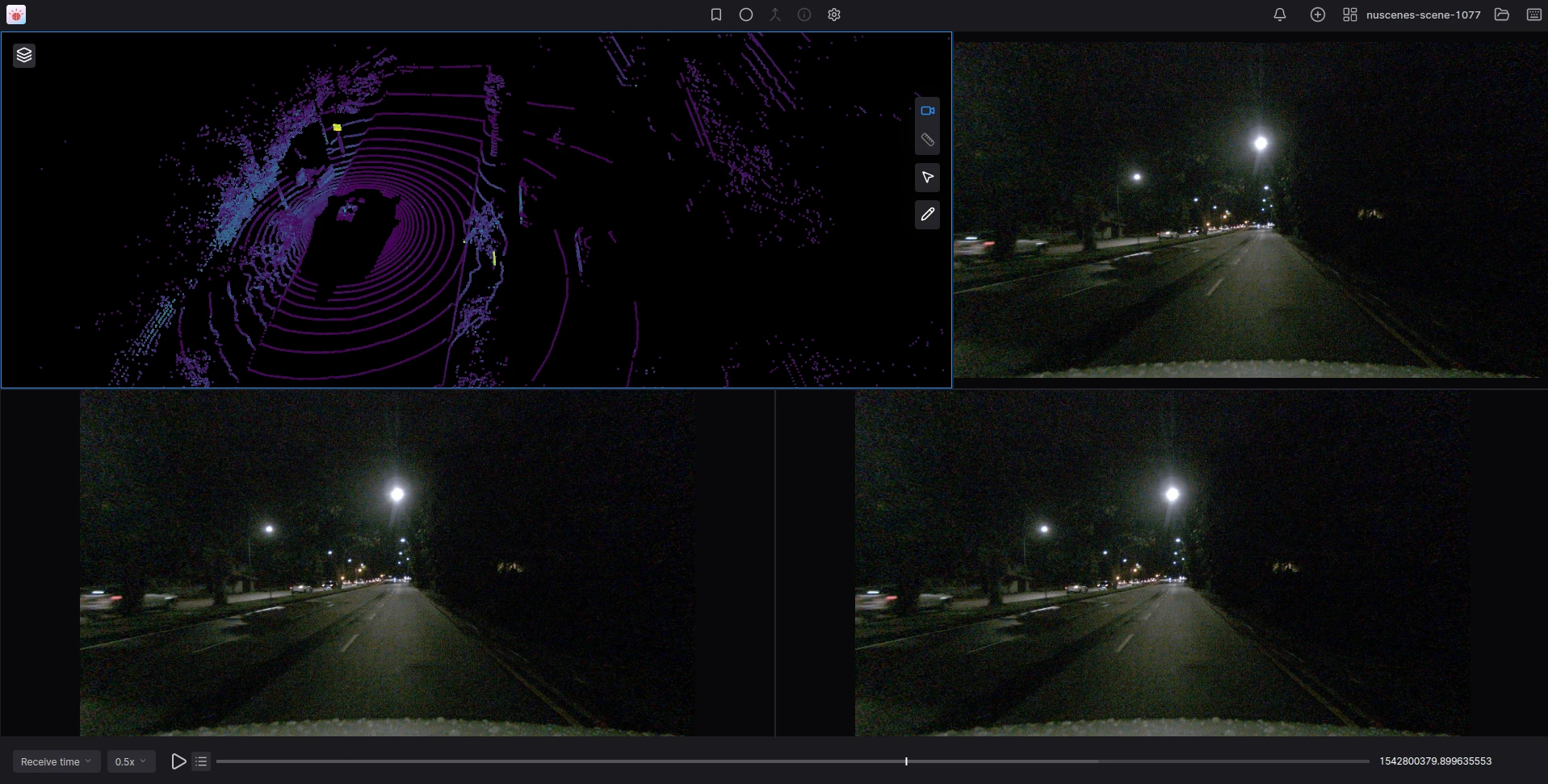
Rosbags and MCAP, natively
ROS1 .bag files, ROS2 bag directories and MCAP files all open as-is. Open a single file or a whole folder of recordings and move between them without re-loading.
Every sensor stream, in sync
Lidar and radar point clouds, multiple camera streams, IMU, GPS and any other topic in the recording play back together on one timeline, so you see the full picture of every moment.
Local and offline
FluxWheel runs entirely on your machine. Your recordings never leave your laptop, it works with no network connection, and the app is available for macOS, Windows and Linux.
Mark what matters, frame by frame
Find and curate those difficult to find edge cases scattered across hours of footage. FluxWheel makes them quick to mark and quick to find again.
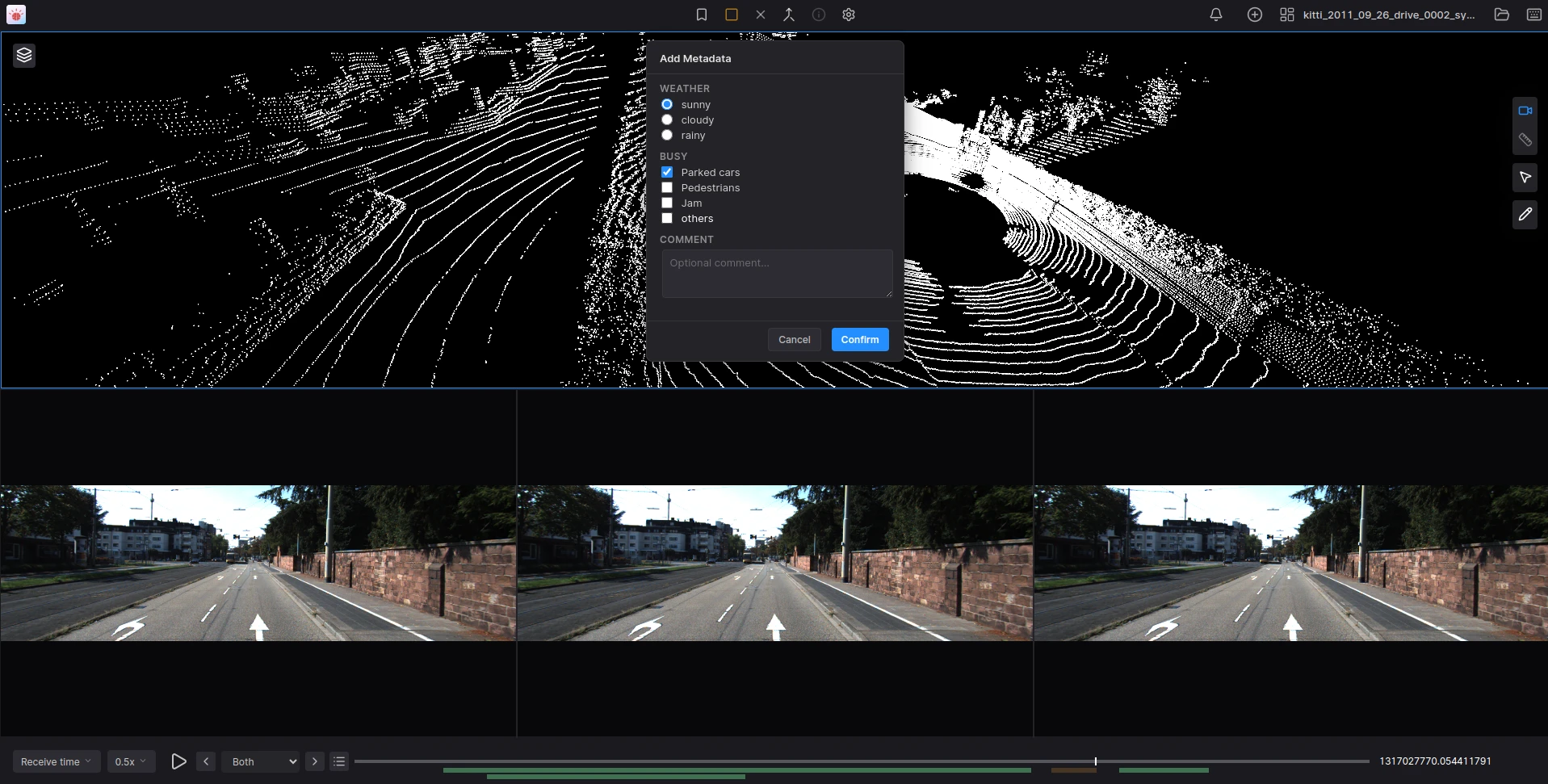
Frame & sequence tags
Flag a single timestamp, or mark a start and end to capture a whole event. Both show up as markers on the playback bar.
Keyboard-first
Tag frames and start or end sequences with single keypresses while the recording plays — curate at watching speed, not click-by-click.
Your own metadata schema
Define per-project fields — dropdowns, checkboxes and free-text notes — and attach the same structured labels to every frame and sequence you mark.
Timeline markers
Every tag becomes a colored marker on the playback bar. Jump straight to the next or previous one instead of scrubbing for it.
Filterable curation list
Review every marked item in one list, filter it by type or by your metadata values, and click through to any moment.
Saved alongside your bags
Curation data auto-saves to a file in your project folder, so your work survives closing the app and travels with the recordings.
Turn your selections into datasets
Pick the recordings you have curated and export them from one place — the metadata, the extracted frames, or both.
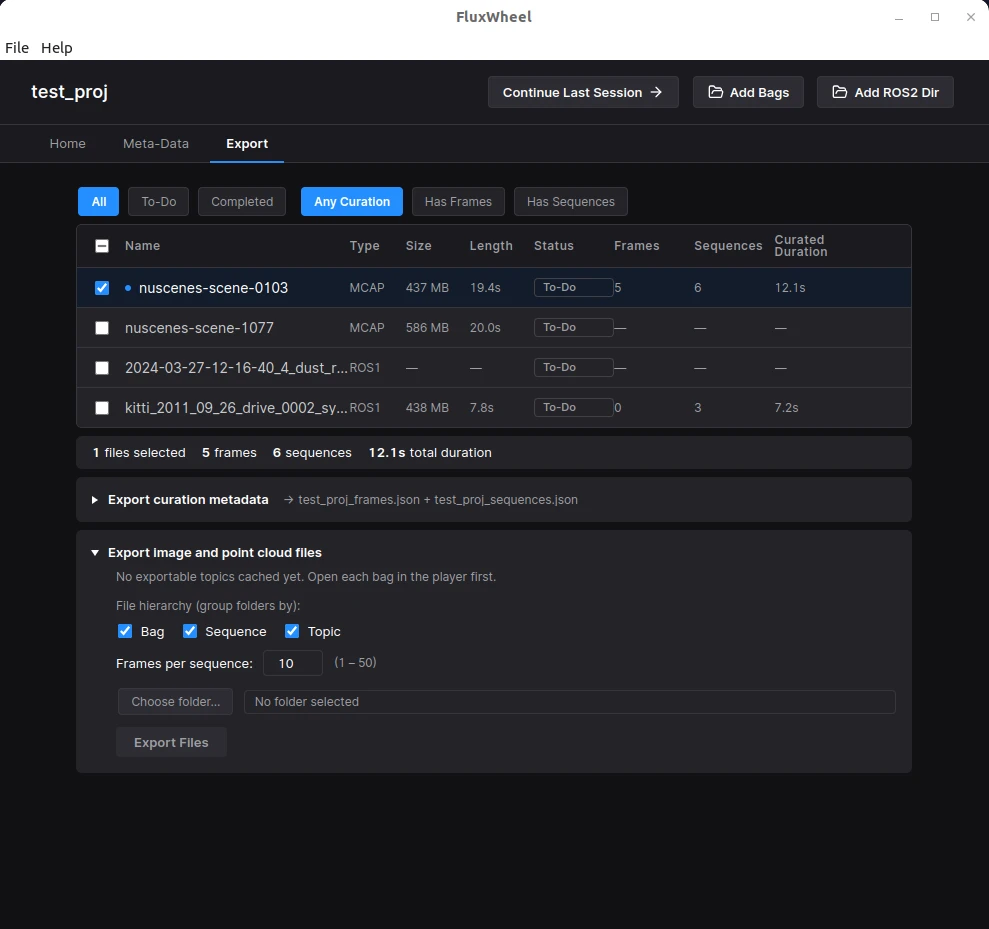
Curation metadata as JSON
Every marked frame and sequence exports with its metadata, keyed by timestamp and source recording — a single manifest of everything you selected.
Extracted frames
Pull a fixed number of evenly-spaced frames from each sequence — point clouds as binary PCD, camera images as PNG or JPEG — straight from the bag data.
Your topics, your layout
Choose which sensor topics to extract and how the output folders are grouped — by recording, by sequence, by topic — to match how your pipeline expects data.